Partnerships in Postman
I led product design strategy from ideation to execution on Postman's Partner Workspace, covering the full lifecycle: activation, expansion, conversion, governance, and growth.
The problem:
Constant team switching
I joined the Partner Workspaces team at Postman as the sole designer, brought in to fix core flows users were struggling with. The first was access. When invited to a partner workspace, partners were required to join the publisher's Postman team entirely, meaning they had to constantly switch between their own team and the publisher's. On top of the context-switching friction, this forced publishers to grant access outside their SSO setup, raising real security concerns.
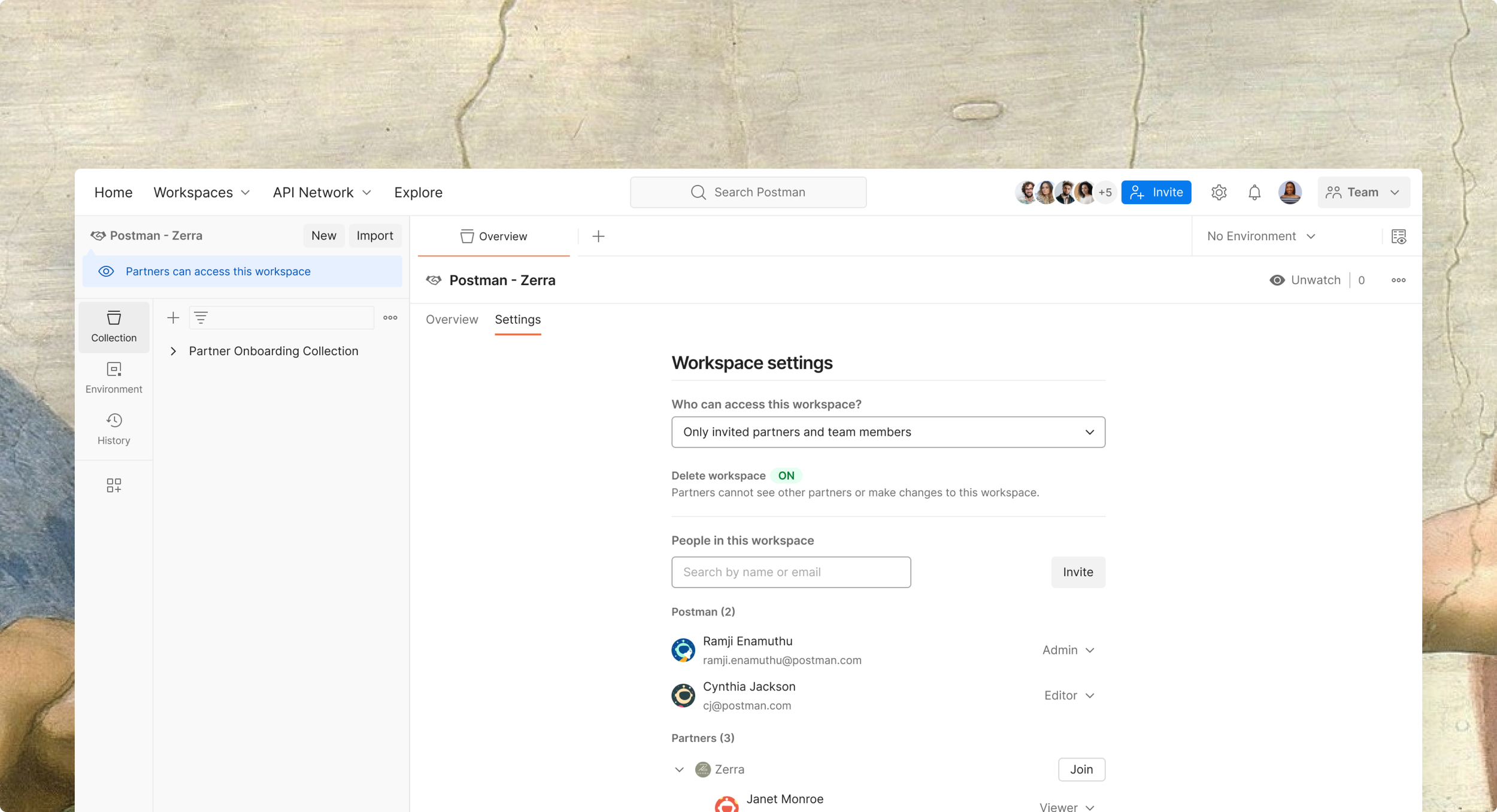
Making partner workspaces accessible through the partner's own team wasn't just a backend change, it had to translate into the experience. I redesigned the invitation flow so that instead of automatically joining the publisher's team, users are prompted to select which team they want to use to access the workspace. Partner workspaces are then identifiable through an External badge, signaling caution around data sensitivity.
First solution:
Meet users where they are
Data security: know who you're inviting
Another core flow we tackled was how publishers invited partners. Originally, publishers relied on the standard team member invite flow to bring partners in. To reflect the new distinction between partners and team members, I designed a dedicated partner invitation flow, making the difference explicit from the start to help users protect their data.
What about governance?
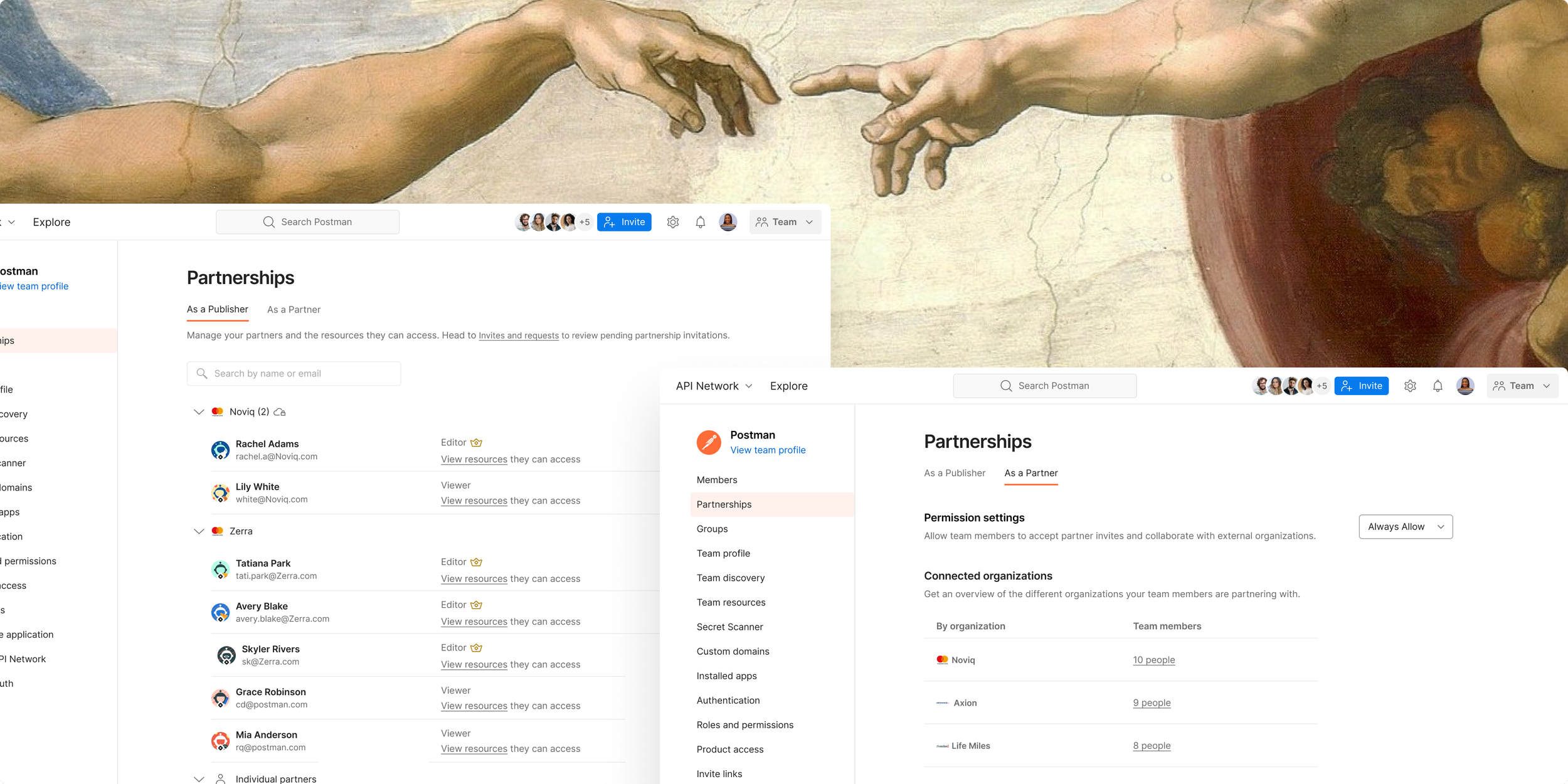
Looking at Partner Workspace settings, and comparing it to other products such as Slack, Atlassian, and others I noticed that governance only existed at the workspace level, with no visibility at the team level. I interviewed admins to understand how they approached governance in partnerships. A recurring need came up: admins wanted team-level oversight to track which organizations they were collaborating with and how many partner seats they were paying for.
Mapping the relation
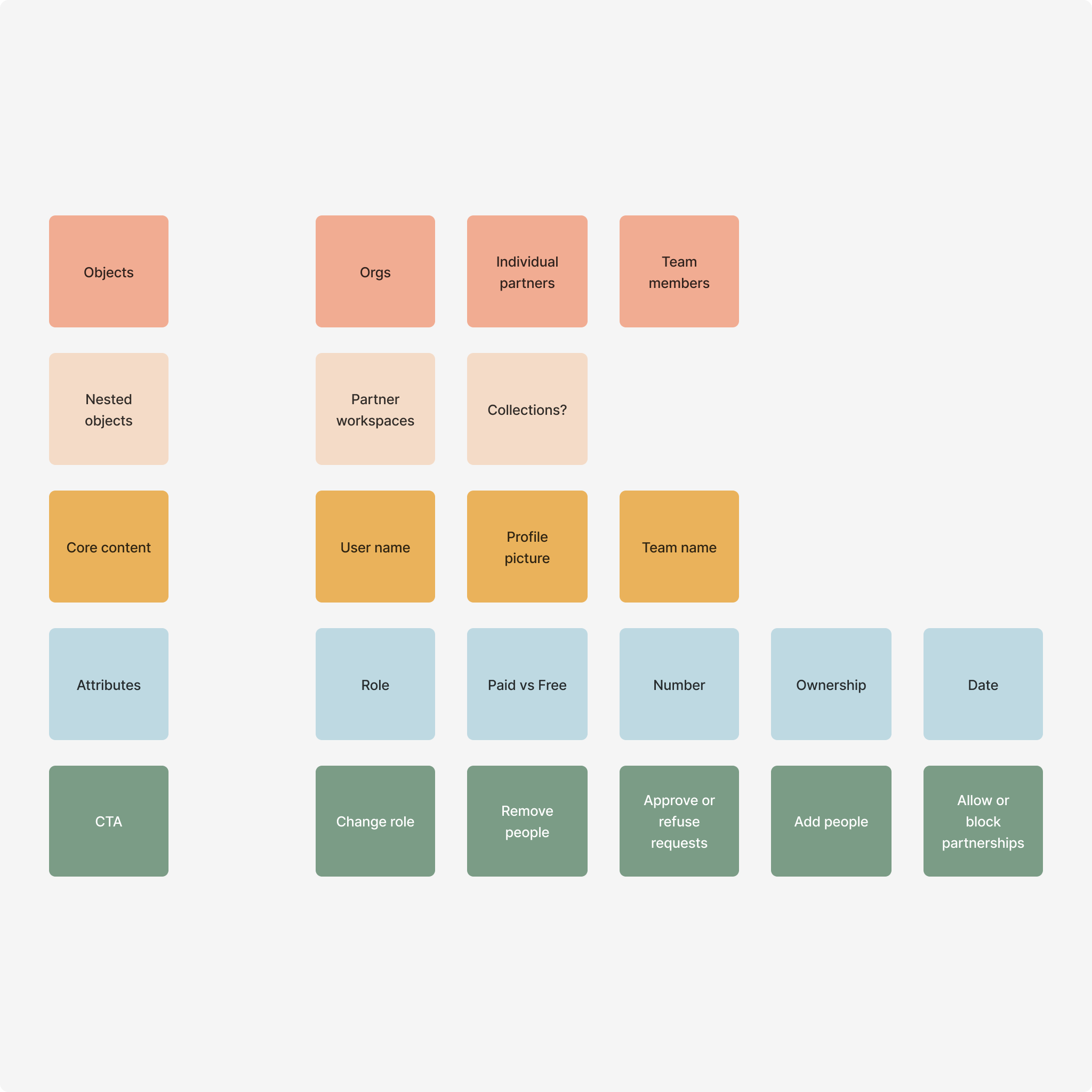
Using the OOUX method, I mapped the key elements involved in partnership management across the product. I broke down the concept into the objects, people, actions, and attributes shaping the admin experience, including entities like organizations, teams, internal members, external partners, and partner workspaces, with attributes like role, ownership, and access level.
I also mapped the actions admins would need, such as approving requests, changing roles, removing access, and blocking collaboration with specific organizations. These were based on both our user interviews and comparative analysis.
What do admins need?
Putting the pieces together
I started by exploring what a comprehensive partnerships overview could look like. I designed a page that groups partnerships by organization, making it easier to understand how external collaborators are structured. Within each organization, I included a clear list of partners, along with their roles and the specific workspaces they can access. The goal was to provide a centralized view that helps admins quickly understand who has access to what, without needing to navigate across multiple pages.
Organizations vs people
I also explored a version that extends control and governance to the organization level, rather than limiting it to individuals. This means allowing admins to approve or block partnerships at the organization level instead of per person. During interviews, users responded positively to this capability but said they want a way to view all the seats they are paying for on a single page, instead of navigating through organization lists.
Two-way relationship?
As I kept talking to users, I started seeing partnerships as a two-way relationship with two distinct jobs to be done. Partnerships initiated by the admin's team had different needs and visibility than those initiated by outside organizations. From that insight, I created a separate tab for incoming partnerships, surfacing the collaborations others had initiated and in which team members were already engaged. This tab ended up being a "nice surprise" for both stakeholders and users.
Partnership at scale
We landed on this version where we kept the two tabs to make the distinction between outbound and inbound partnerships clear. We made control available at an individual level because customers expressed the desire to have this overview. I collapsed users under their organization, so users can get an overview of all the organizations they're partnering with.
Impact & learnings
The new experience was positively received by both users and stakeholders, validating its direction and execution. It led to a 36% increase in user activity and a 46% increase in growth of workspace invites created over time.
Beyond product metrics, it also aligned with broader business goals and became part of the company strategy narrative, being presented at PostCon 2025 as a key example of driving collaboration and engagement at scale.